

Overview
You can update your Zite database indirectly using forms, or by allowing others to submit data. This ensures your database stays accurate and up-to-date without giving direct access to your tables, reducing errors and maintaining security.Automatic column or field mapping
If you’ve already created columns in your Zite database and fields in Fillout forms before connecting them, Zite will automatically map matching fields (e.g., Name → Name, Contact Number → Phone Number).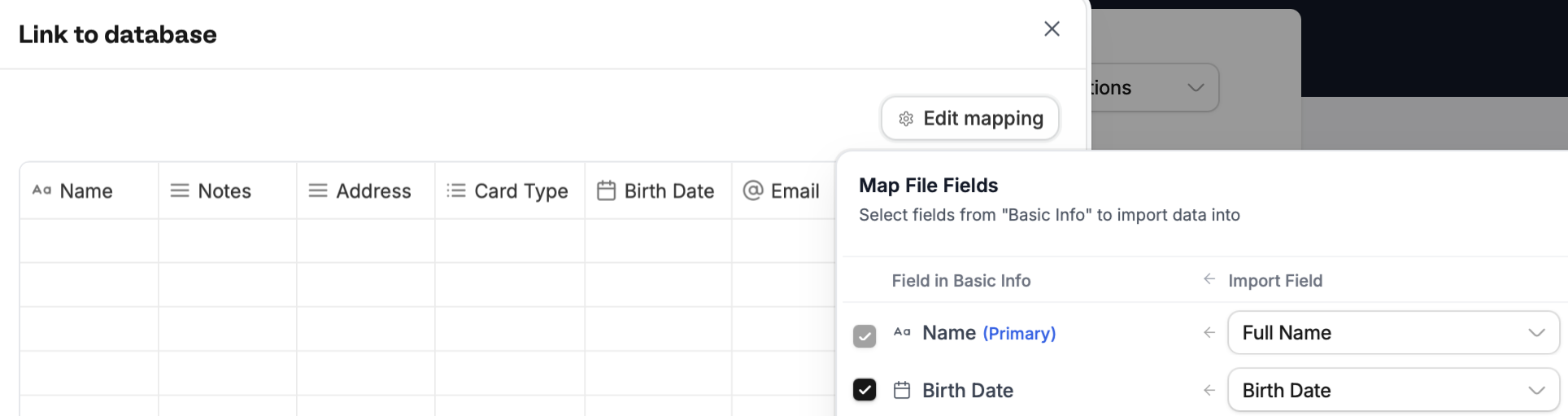
Select field in the dropdown. Then, Continue.
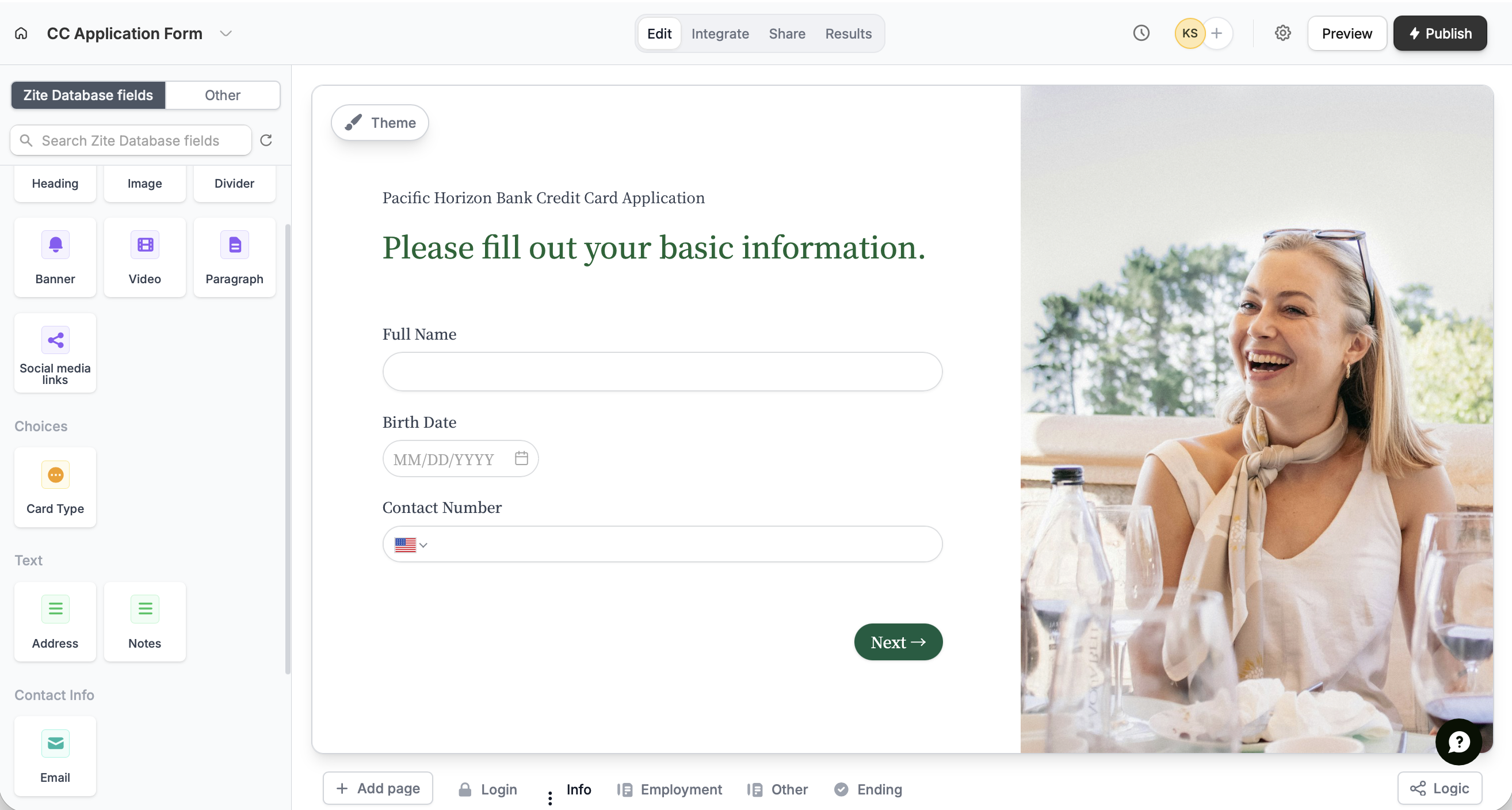
If you haven’t added form fields prior to connecting, Zite will pull in any columns or fields from your database and turn them into form fields. These connected fields appear in the left-hand panel, ready to be dragged and dropped into your form.
Map columns or fields manually
If you’ve added fields or columns after connecting your form and database, you can map them manually or update existing mappings. Only form and database fields are mapped automatically. Submission metadata (such as Last updated, Created date, and Link to submission) and submission details (such as Submission Started, Current Page, Browser, Operating System, and Network ID) aren’t supported.Map form submission ID to your database
Submission ID isn’t mapped automatically, but you can map it manually.+ Add field in your Zite database. Then, go back to Fillout, and map the new field to Submission ID.
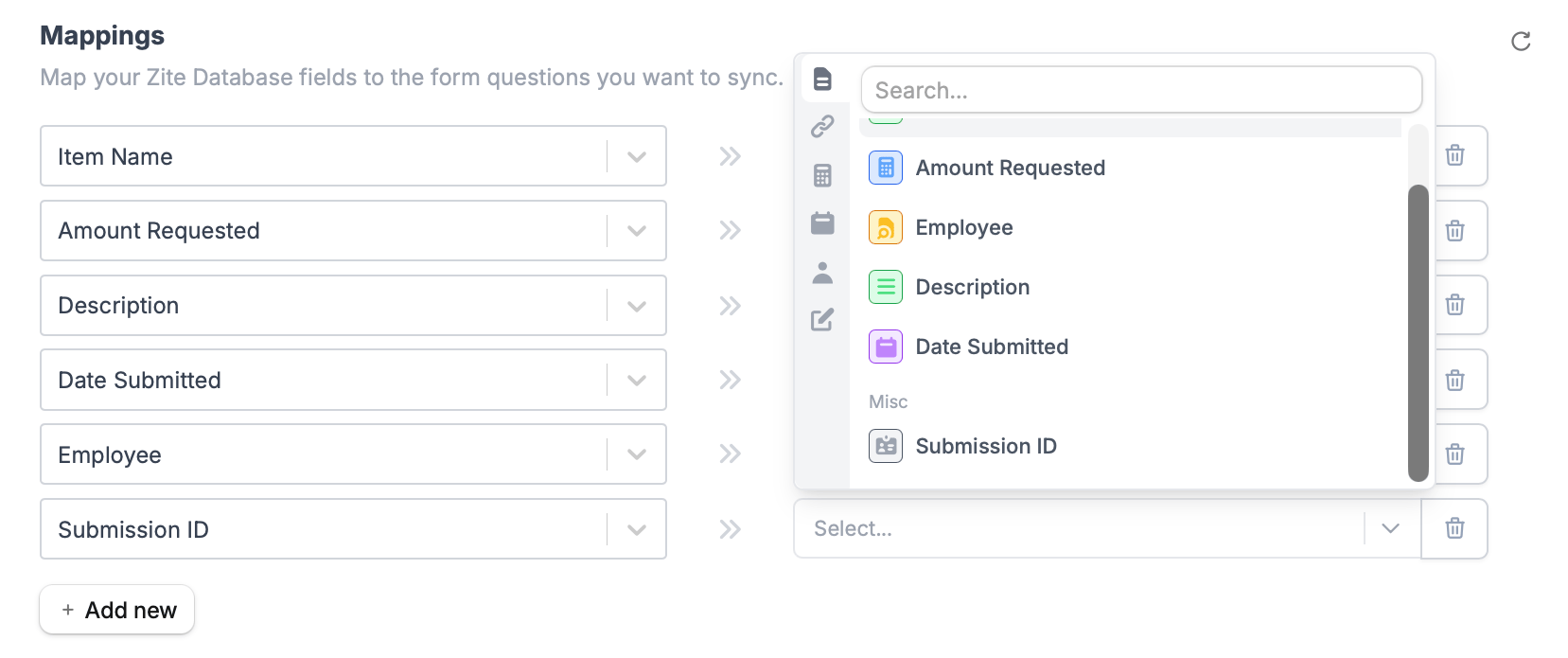
refresh icon on the upper-right corner.