

How to add a signature field
In the left-hand panel, look for theSignature field. Then, key in your question or statement.

Publish your form and share the link with your respondents.
The signature field is available on the Fillout Starter plan and above. To learn more about our pricing plans, click here.
Add signature button, they’ll be prompted to sign in a pop-up window. They can draw, type, or upload an image of their signature.
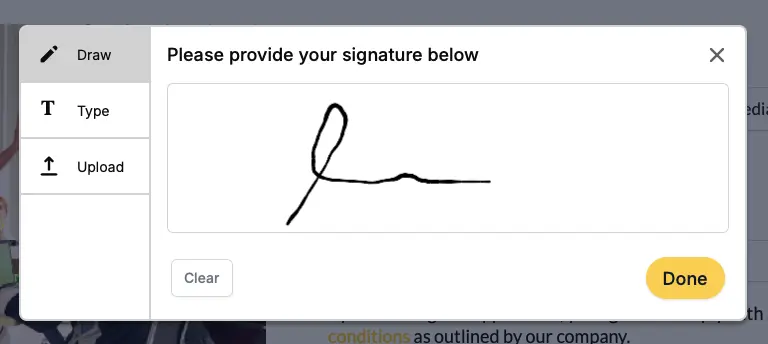
Show upload option and Show type option.
Add signatures to a generated PDF
You can place a respondent’s signature onto a PDF or document that Fillout generates from each submission. In theIntegrate tab, click Generate PDF and upload your file. Click + Add field, then drag and resize the field over the area where the signature should appear. In the right-hand panel, choose your signature field under Connected fields.
When a respondent signs and submits the form, their signature is added to the generated document. Learn more about generating PDFs with form responses.
Limitations
- Default values are not supported for the signature field.
- Signatures cannot be prefilled, for example through URL parameters.
- Respondents must complete the field manually each time they submit the form.
Legally binding e-signatures
If you need to collect a legally binding electronic signature, follow our guide on how to create an electronically signed agreement. It walks through the required steps and considerations.Common signature workflows
Validate authenticity of a submission Request e-signatures for your online waivers, non-disclosure agreements, record verification forms, or any workflow that requires verifying the integrity of user-provided data. The signature field is often used to allow respondents to consent and attest to their submission. Streamline business processes Increasingly, businesses are using e-signatures to approve employee documents, validate transactions, and kick off employee or vendor onboarding. One way to do this in Fillout is to include relevant documents in your form with the PDF Viewer field type. This way your respondents can view documents without leaving the form and add their signature with the signature field type.Related articles
Add signatures to Airtable
Upload signatures to an existing Airtable base.
Security at Fillout
SOC 2 Type 2 certified with physical and technical safeguards.
eSign-Compliant Agreements
Make agreements powered by forms.