

Introduction
The Fillout API lets you access information about your Fillout account programmatically, without using the Fillout site. It is primarily for Fillout users and for 3rd party developers that want to build services on top of Fillout or access their submission data. You can access a list of all your forms and the submissions for each form via the API.Authentication
Organization admins can get the API key on any plan.1
Open Developer settings
From your dashboard, click your
organization name in the upper left corner followed by Settings, then Developer. Stay on the API key tab.2
Enable the API
If there’s no key yet, click
Enable API.3
Copy your key
In the API dropdown, choose 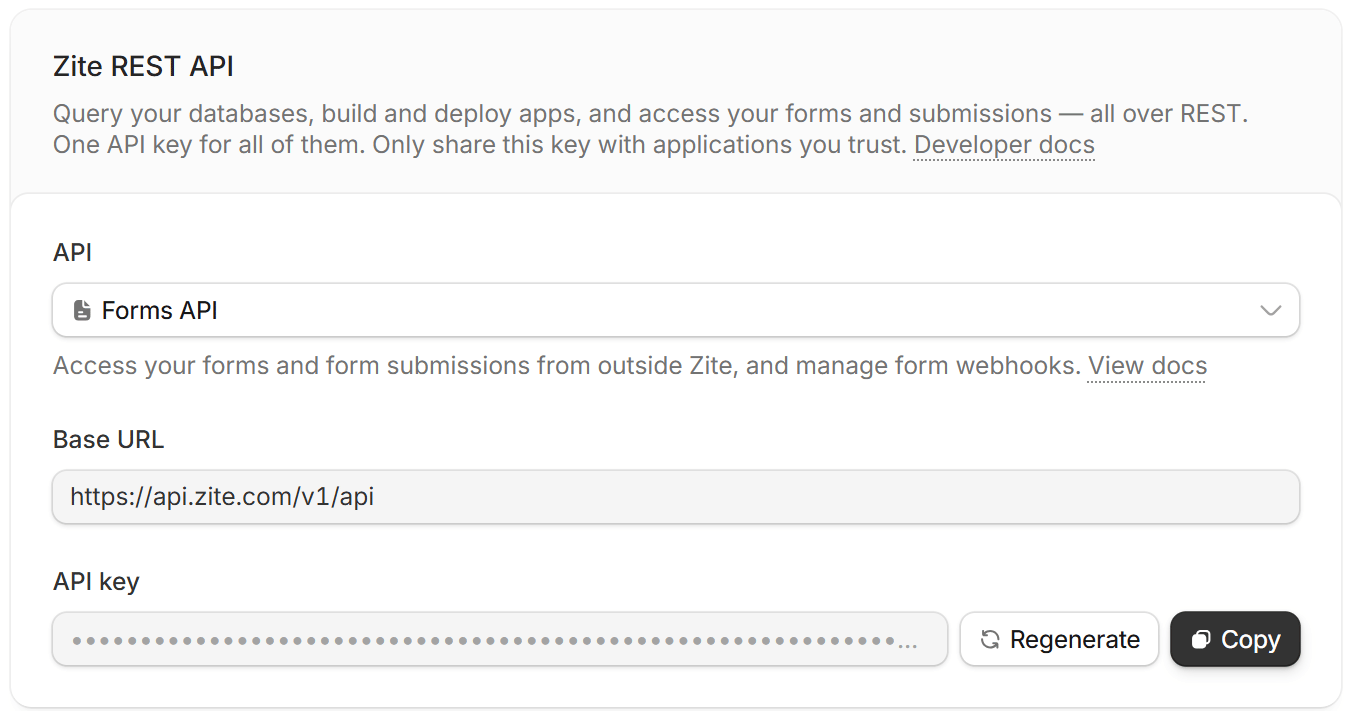
Forms API to see its Base URL. Then, click Copy next to your API key.If Fillout is turned off for your organization, Forms API isn’t in the API dropdown in the Developer settings. An admin can turn it on. See Turn Fillout on or off.
Authorization header in the following format:
<your-api-key> with the API key obtained from your Fillout account.
Base URL
https://api.fillout.com/v1/apiandhttps://api.zite.com/v1/apiboth work. The Base URL in your settings shows one or the other, depending on where you opened them.- Organizations hosted in the EU use
https://eu-api.fillout.com/v1/api. - If you’re self-hosting Fillout, use the Base URL shown in your settings.
400 error that tells you which address to use.
The Forms API works on every plan. Only in-progress (unfinished) submissions need the Fillout Business, Team or Enterprise plan.
You can also use access tokens granted via a Fillout 3rd party integration. If you’re looking to build an integration, see this article.
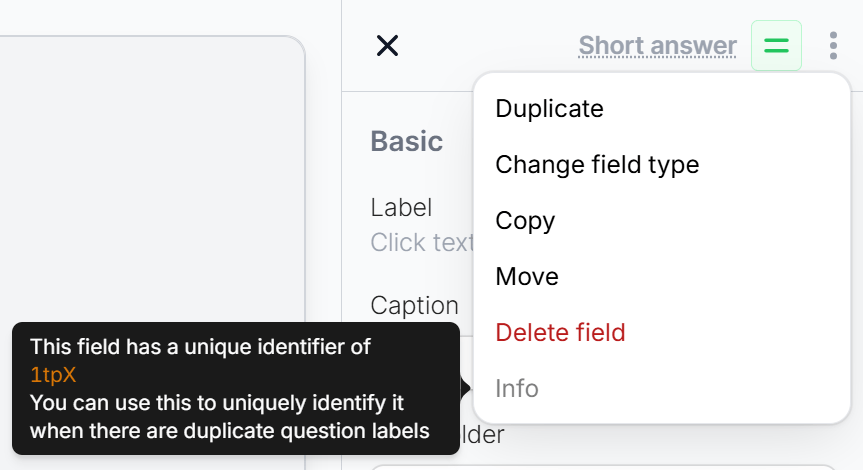
Find a question’s ID
Responses from the API identify each question by its ID, like"id": "abcdef". To find a question’s ID, open your form in the editor, click the three dots on the question, and hover over Info.
Rate limits
Each API key can make up to 5 requests per second. Requests toapi.fillout.com and api.zite.com count toward the same limit. Over the limit, the API returns a 429 error: Too many requests. Try again soon.
Creating or deleting submissions is also limited to 10 requests per minute.
Related article
Create Fillout Apps
Build integrations that link Fillout with 3rd party apps.