

Overview
Creating an app involves more than just building. It also includes planning and asking questions. Zite has three editor modes. All three consume AI credits, but Plan and Chat modes use fewer. Choosing the right mode for each task will help you work more efficiently and avoid accidental changes.Pick the right mode
| Mode | Best for | Makes changes? |
|---|---|---|
| Build mode | Actively developing your app | ✅ Yes |
| Plan mode | Scoping and clarifying requirements | ❌ No (creates a plan) |
| Chat mode | Asking questions, getting suggestions | ❌ No |
How to switch modes
On the Zite app editor, click theMode on the lower left followed by your preferred mode.
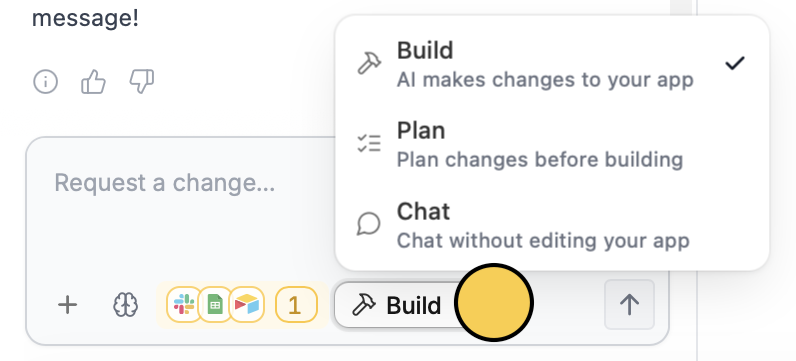
Shift + Tab or Cmd/Ctrl + . on your keyboard.
Creating a new app
When you create a new Zite, you’ll see two options:- Build it: Start building immediately
- Plan it: Create a plan first, then build it
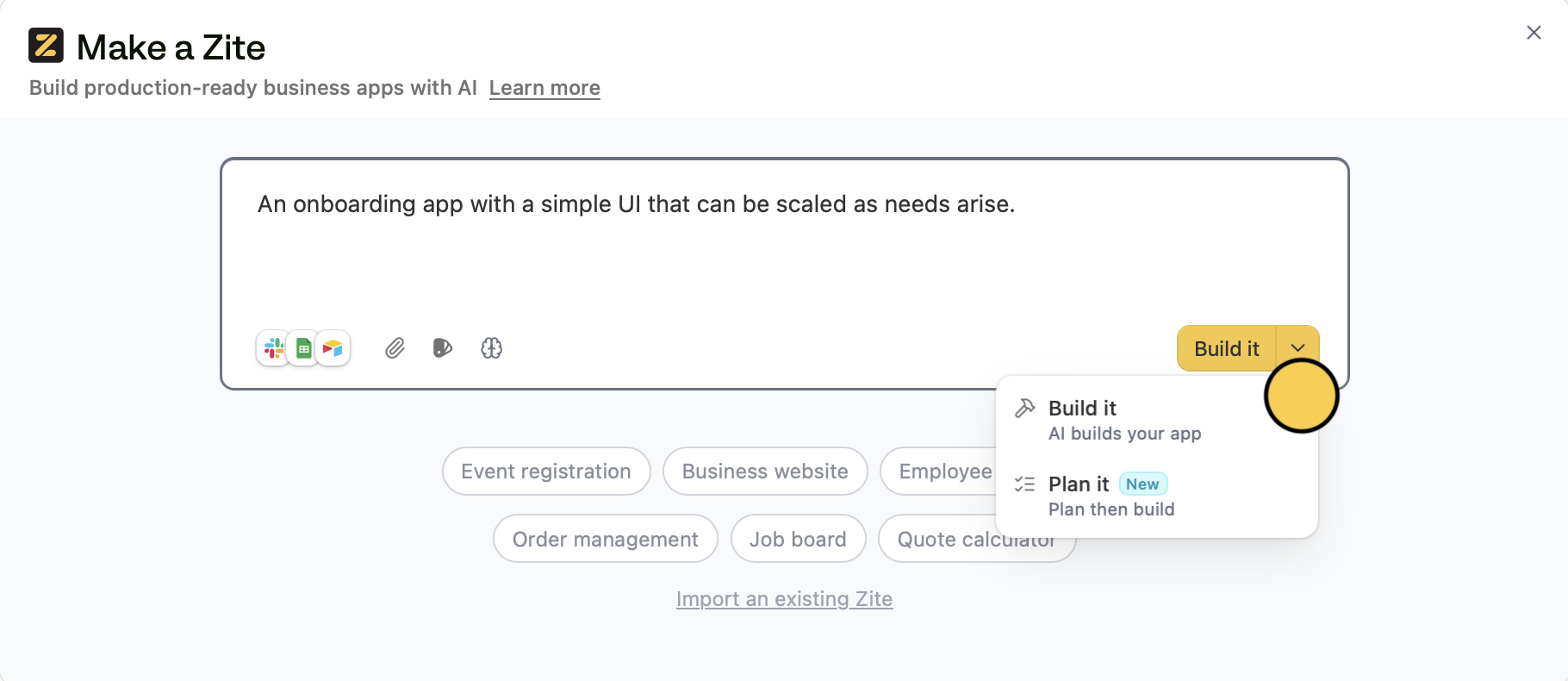
Shift + Tab, Cmd/Ctrl + .) work on the initial creation screen too.
Related articles
Build mode
Ask Zite to make changes to your app directly.
Plan mode
Create a plan document before anything is built.
Chat mode
Ask questions or get suggestions without changing your app.