

Enter a prompt
In the chat box, drag and drop an image or click + followed byUpload an attachment. In your prompt, say whether you want the full design to match the image or just certain parts like fonts or colors.
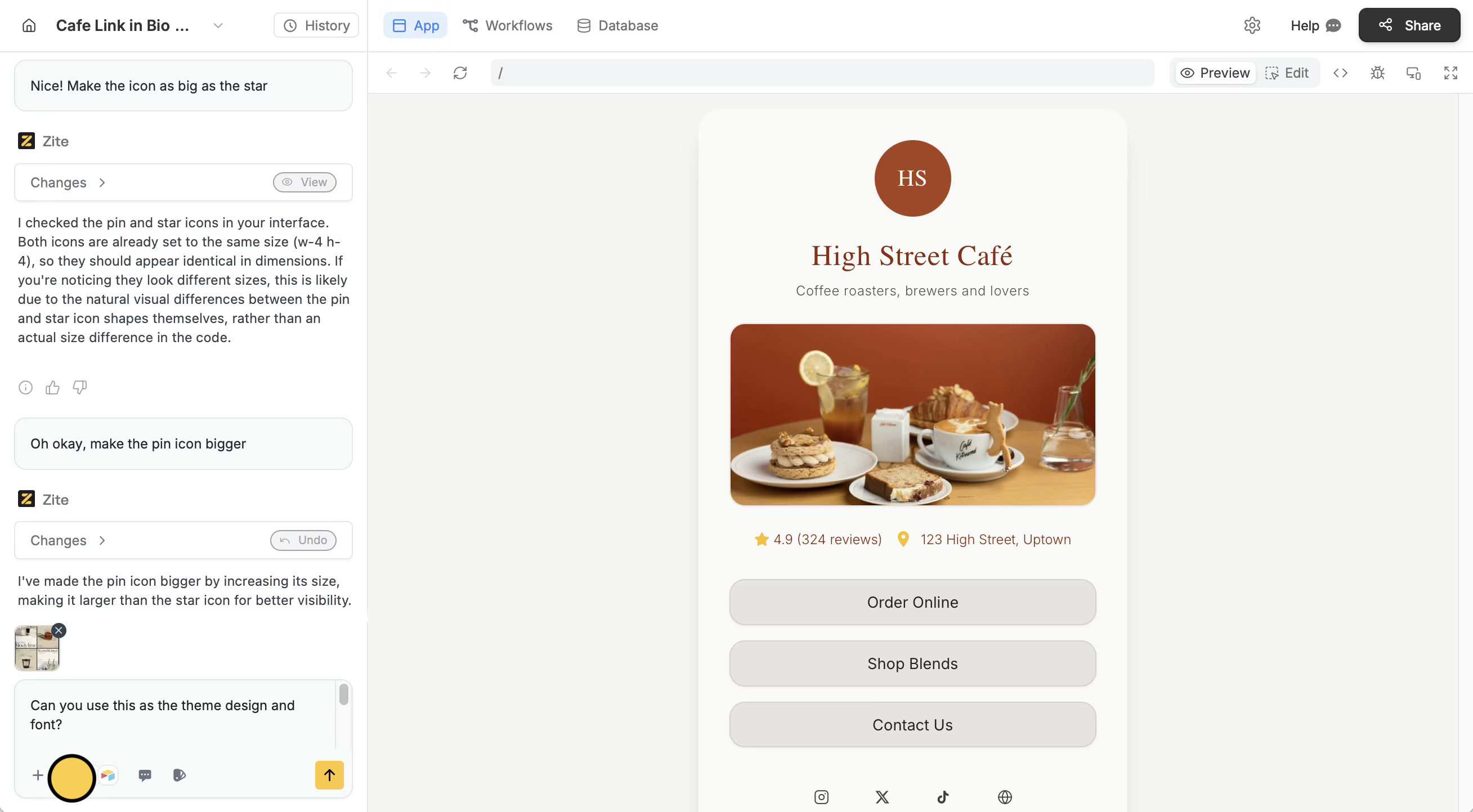
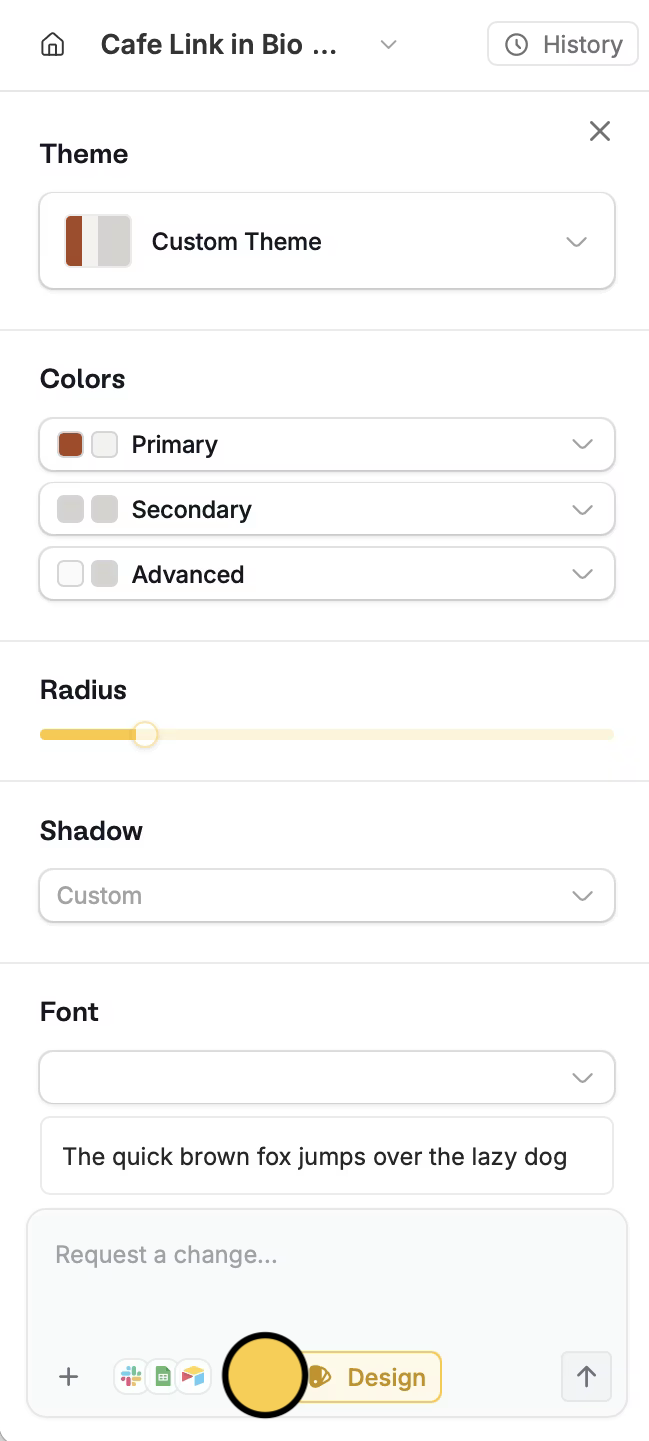
Choose a theme
Click thepaintbrush icon on the bottom left, then choose your preferences.
Related articles
Selective edits
Edit the typography, color palette, and other elements.
Customize links
Change your subdomain and domain to match your brand.