

Overview
You can require users to authenticate through your organization’s Single Sign-On (SSO) identity provider — such as Okta, Azure AD, or Google Workspace — before accessing your Zite app. SSO gives you centralized control over who can access your app, and allows you to pull in custom attributes like department, role, or cost center from your identity provider.SSO is available on the Enterprise Plan. Learn more here.
- Your organization must be on Zite’s Enterprise Plan
- Your SSO provider must be configured with Zite
Enable SSO
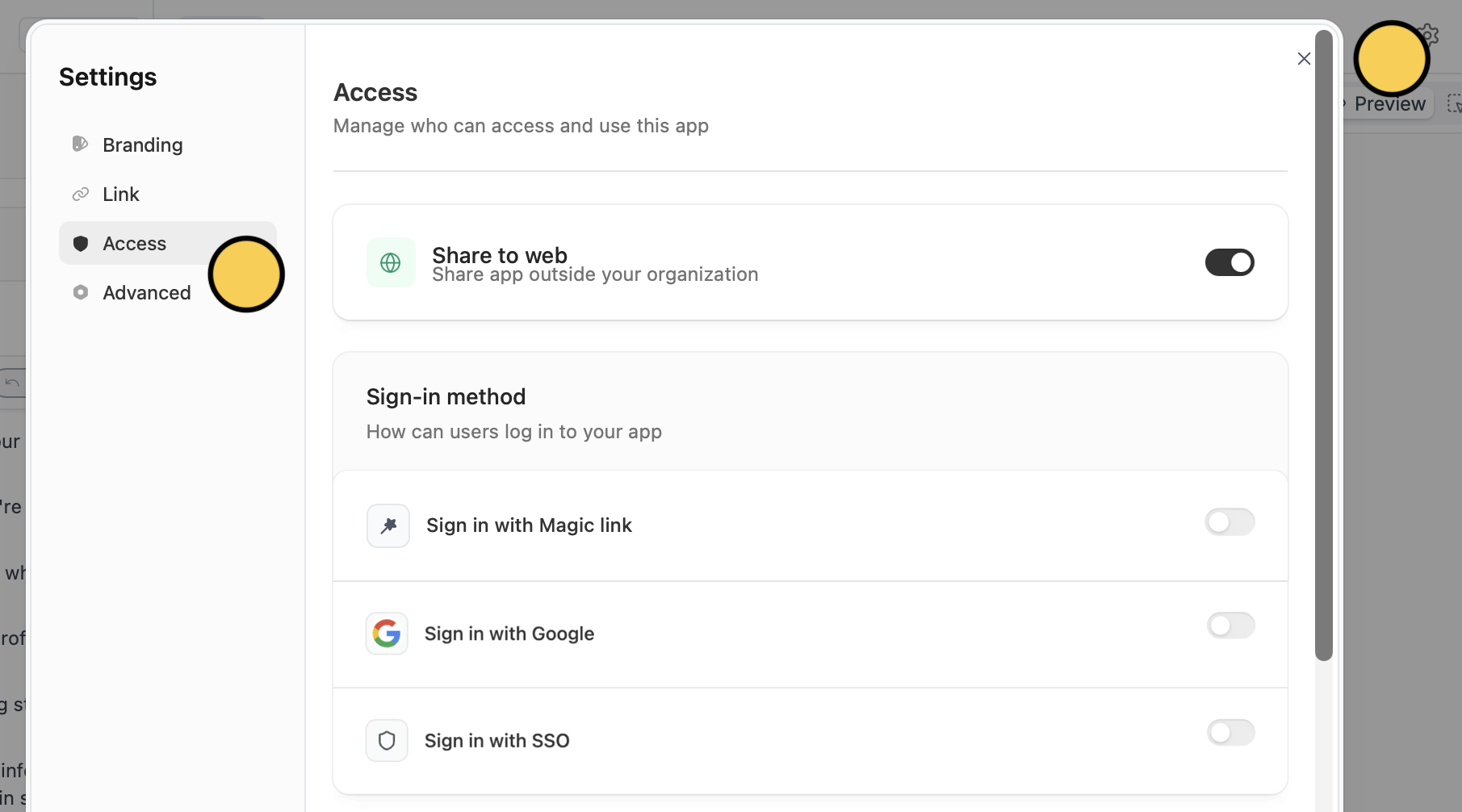
Enable SSO
Under Sign-in method, toggle on
Sign in with SSO.When SSO is enabled, Magic Link and Google Sign-In are automatically disabled. Only one authentication method can be active at a time.
Choose who can sign up
Under Who can sign up?, select one of the ff:
- Invite only (default) - only users you explicitly add can sign in
- Anyone - anybody who visits your app can create an account
- Only allowed domains - only users from specific email domains (e.g., example.com) can sign up
Custom attributes
When SSO is enabled, custom attributes — such as department, role, or cost center — are automatically discovered from your identity provider. To use them in your app, tick the checkbox, then clickSave.
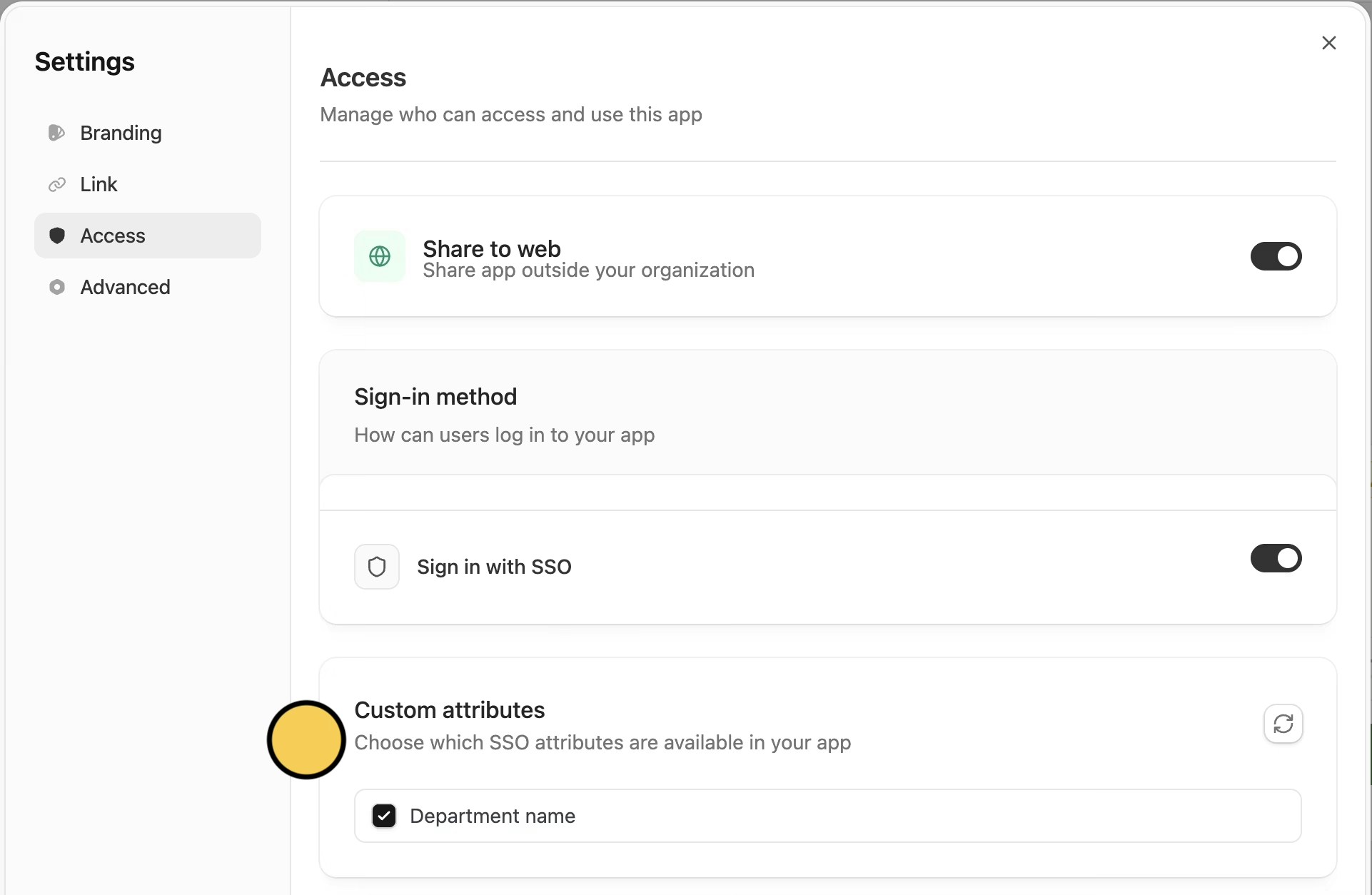
department, your app can access the user’s department to personalize content or control feature access.
The Zite AI builder also understands these attributes — you can ask it to build features like “show different content based on the user’s department”.
SSO attributes (including custom attributes) are refreshed every time a user signs in. If a user’s department changes in your identity provider, the updated value will appear the next time they log in to the app.
How SSO login works for end users
On a published Zite app, users enter their work email to sign in, authenticate via your identity provider (e.g., Okta or Azure AD), and are redirected back to the app logged in.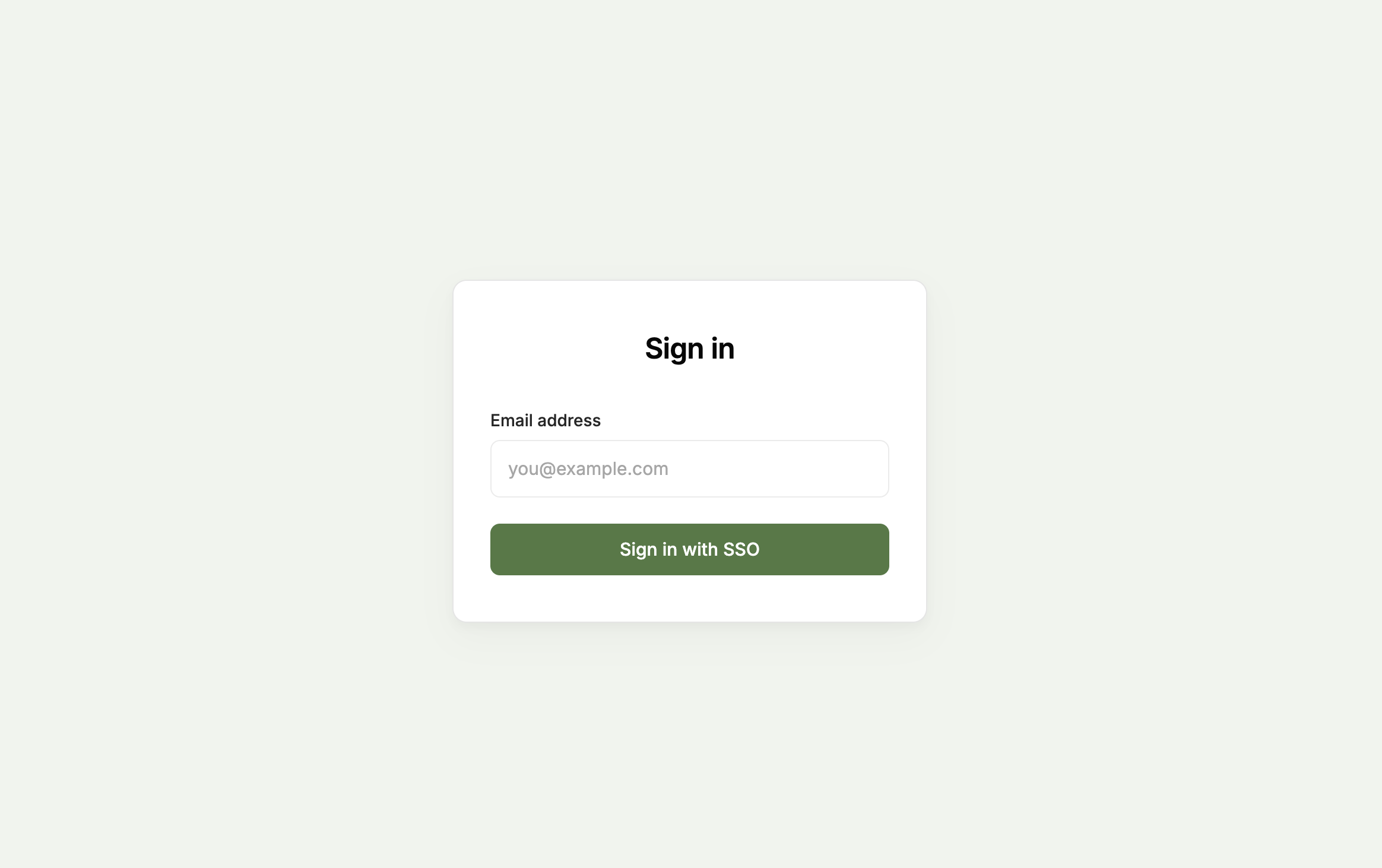
Related articles
Authentication
Add sign-in to your app with magic links or Google.
SAML Single Sign On
Enable SSO through Okta, Azure AD, and more.
User sync
Sync app users to a database table automatically.