

How it works
You can provide users with a dropdown to select an existing record from another table instead of typing it manually. This ties records together and keeps your data organized. To do this, use a Link to table field. For example, in a Time Deposit Accounts table, you can link each account to a customer in the Bank Customers table. When adding a new account, you select the customer from the linked table, ensuring the account is tied to the correct person. This prevents duplicates, keeps your data consistent, and makes it easy to navigate between related records.Common use cases
- Employee Records: Assign employees to managers, departments, or teams
- Project Management: Link tasks to a specific project or team member
- Bank Accounts: Link a time deposit account, loan, or credit card to clients
- Event Planning: Assign attendees to sessions, workshops, or ticket types
- Inventory Management: Tag stock items to suppliers or product categories
Link records
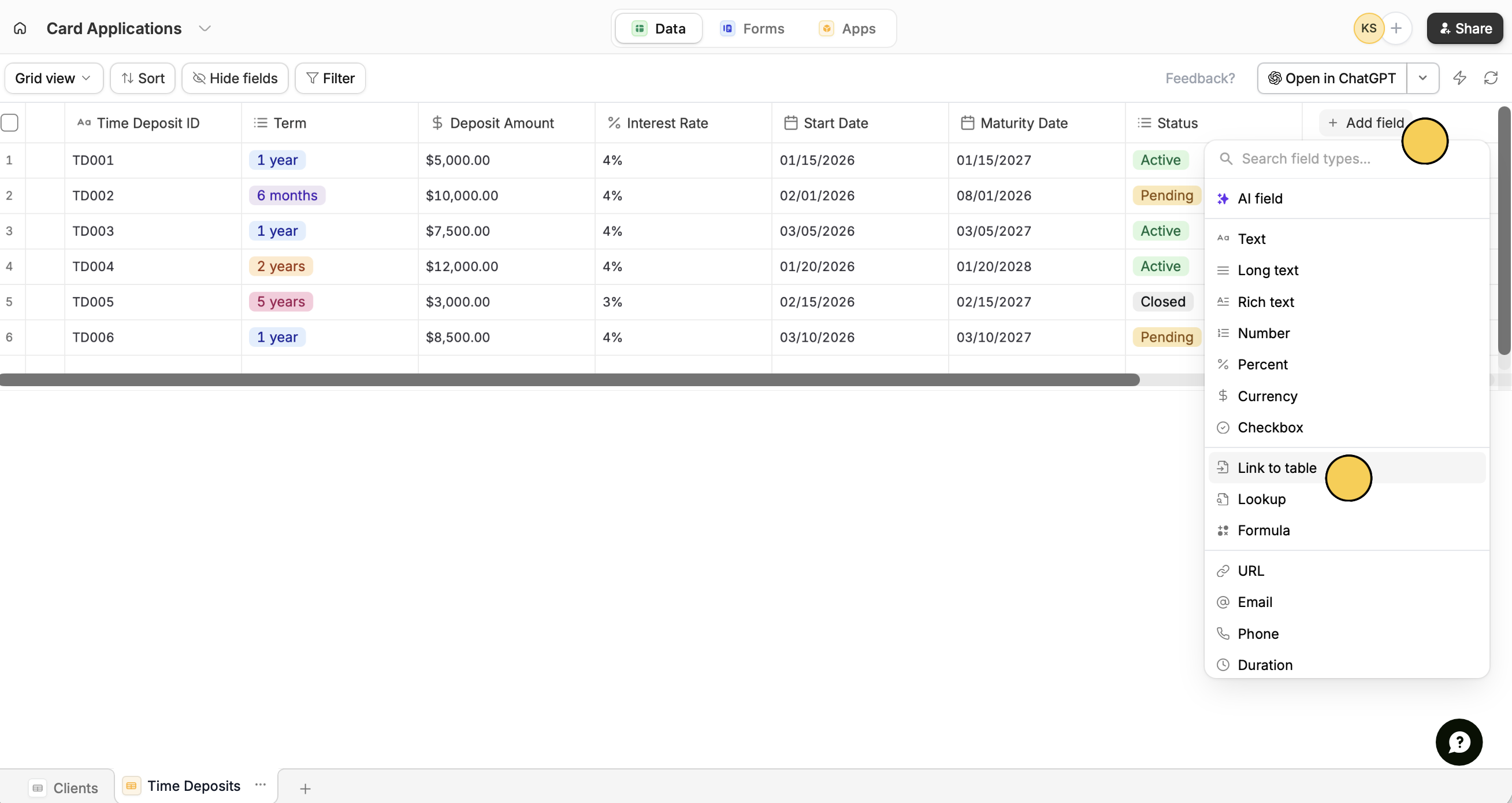
Set details
Enter a Title or column name, then 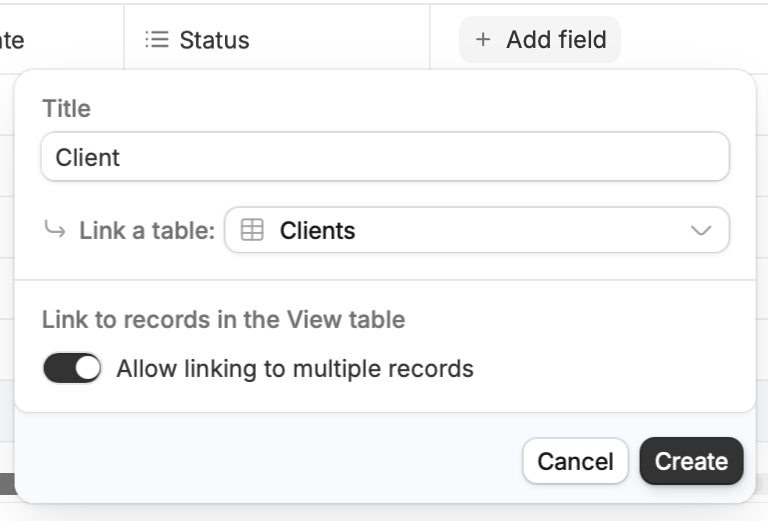
Choose a table and click Create.
Related articles
Use record pickers
Allow users to pick Zite database records from form.